
The first question everyone asks when choosing a clock-in system is usually "how much?" But the question that really matters is: does it stop buddy punching, can it calculate hours automatically at month-end, and is it easy to manage across multiple stores. A cheap punch clock isn't cheap at all if it costs you half a day every month copying data into Excel and still can't catch buddy punching.
This piece lays out the four clock-in methods you see most often in restaurants, walks through why mobile cloud clock-in has become the mainstream choice, and ends with a checklist for buying a clock-in system.
01The four common clock-in methods, at a glance
Restaurant clock-in mostly comes down to these four. What sets them apart isn't just the moment of clocking in — it's the cost that comes "after the punch":
- Paper sign-in — zero cost, zero barrier, but no defence against fake signatures at all, and someone still has to total it up by hand at month-end; barely trustworthy.
- Traditional punch clock — one machine to clock in on, cheap and durable; but tied to a single location, unable to stop buddy punching, and the card data still has to be keyed in by hand.
- Fingerprint / facial recognition device — good at stopping buddy punching, but the hardware is pricier, needs installing and maintaining, every outlet has to buy its own, and staff biometrics raise privacy concerns.
- Mobile cloud clock-in — uses the employee's own phone, prevents fraud with GPS/WiFi/NFC location, syncs data to the cloud in real time and calculates hours automatically, with no hardware to install — naturally suited to multi-store operations.
| Dimension | Paper sign-in | Traditional punch clock | Fingerprint / facial device | Mobile cloud clock-in |
|---|---|---|---|---|
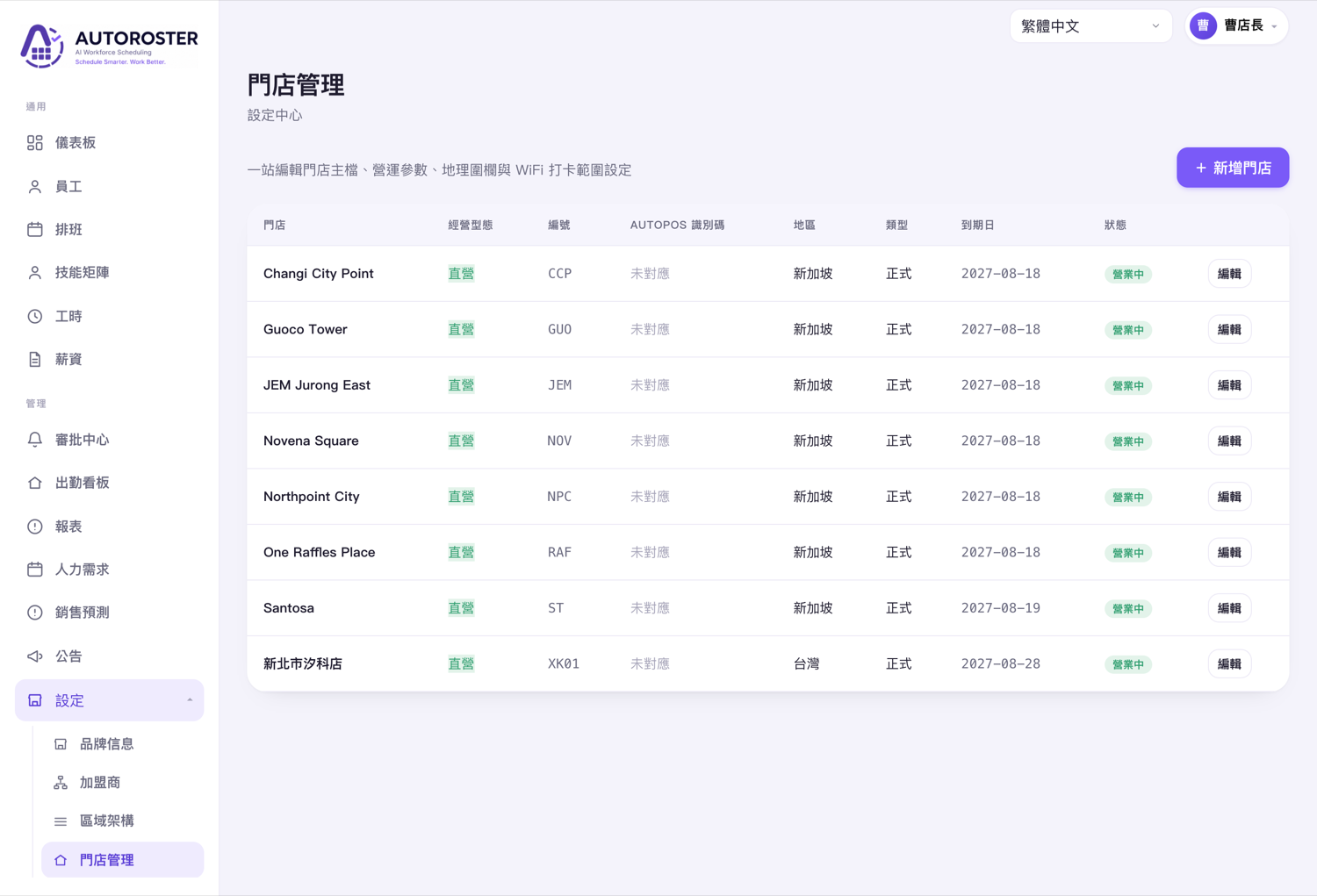
| Setup cost | Almost zero | Low | Pricier hardware | Low (often a free plan) |
| Stops buddy punching | Almost none | Weak | Strong | Strong (location + binding) |
| Auto-calculates hours | No | No | Depends on model | Yes |
| Multi-store management | Poor | Poor (one machine per store) | Poor (one machine per store) | One back office for all |
| Relocating / pop-ups | Portable but hard to manage | Needs reinstalling | Needs reinstalling | Just set it on a map |
| Foreign-worker friendly | Only if they can read it | Average | Average | Multilingual app |
02Why restaurants increasingly switch to mobile cloud clock-in
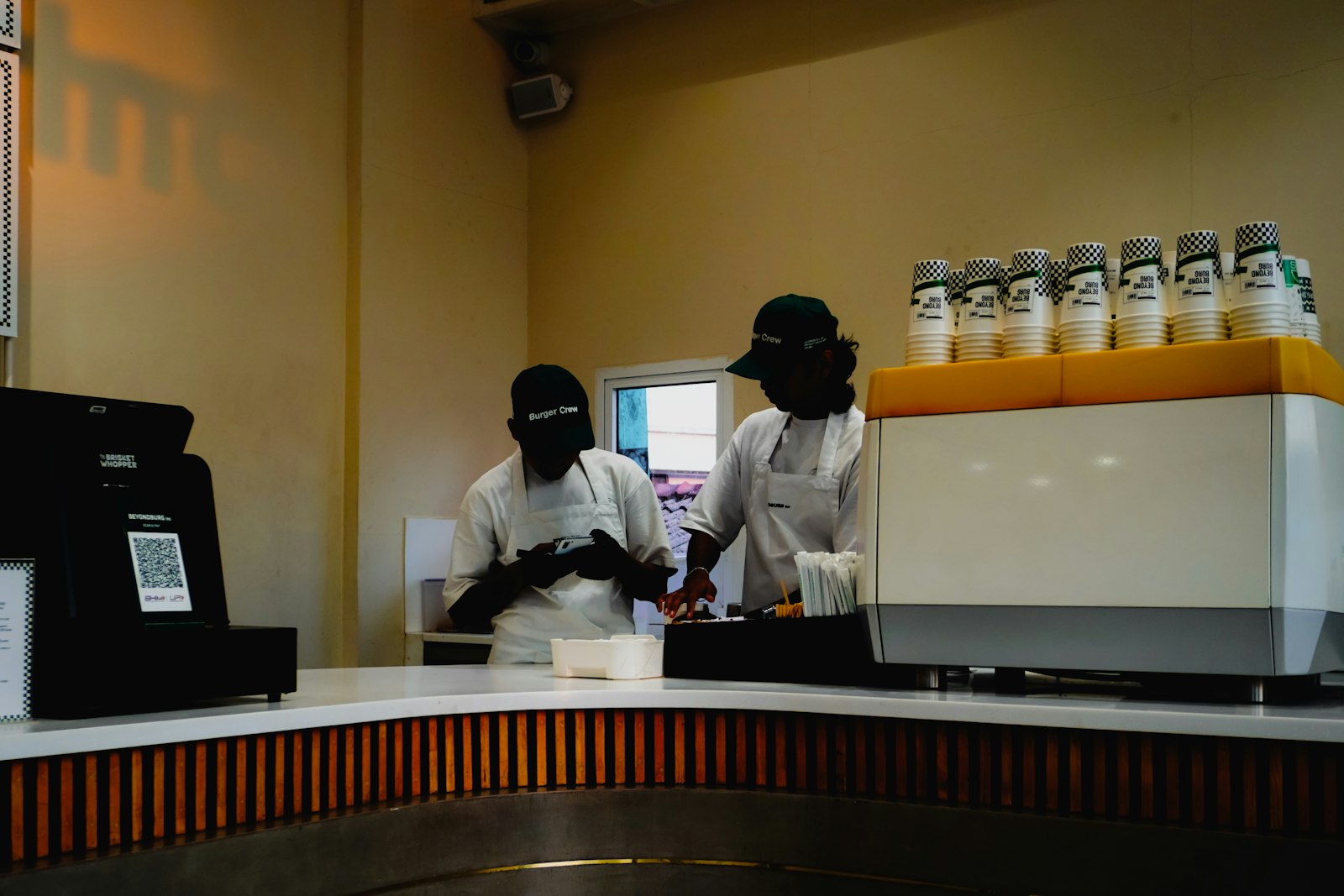
The nature of restaurant staffing — many outlets, many shifts, and fast-turning part-timers and foreign workers — happens to be exactly what traditional punch clocks are worst at. Every new store means buying another machine, every relocation means re-running the wiring, and month-end means manually consolidating each store's data. It just doesn't hold up at scale.
You save more than the cost of the machine
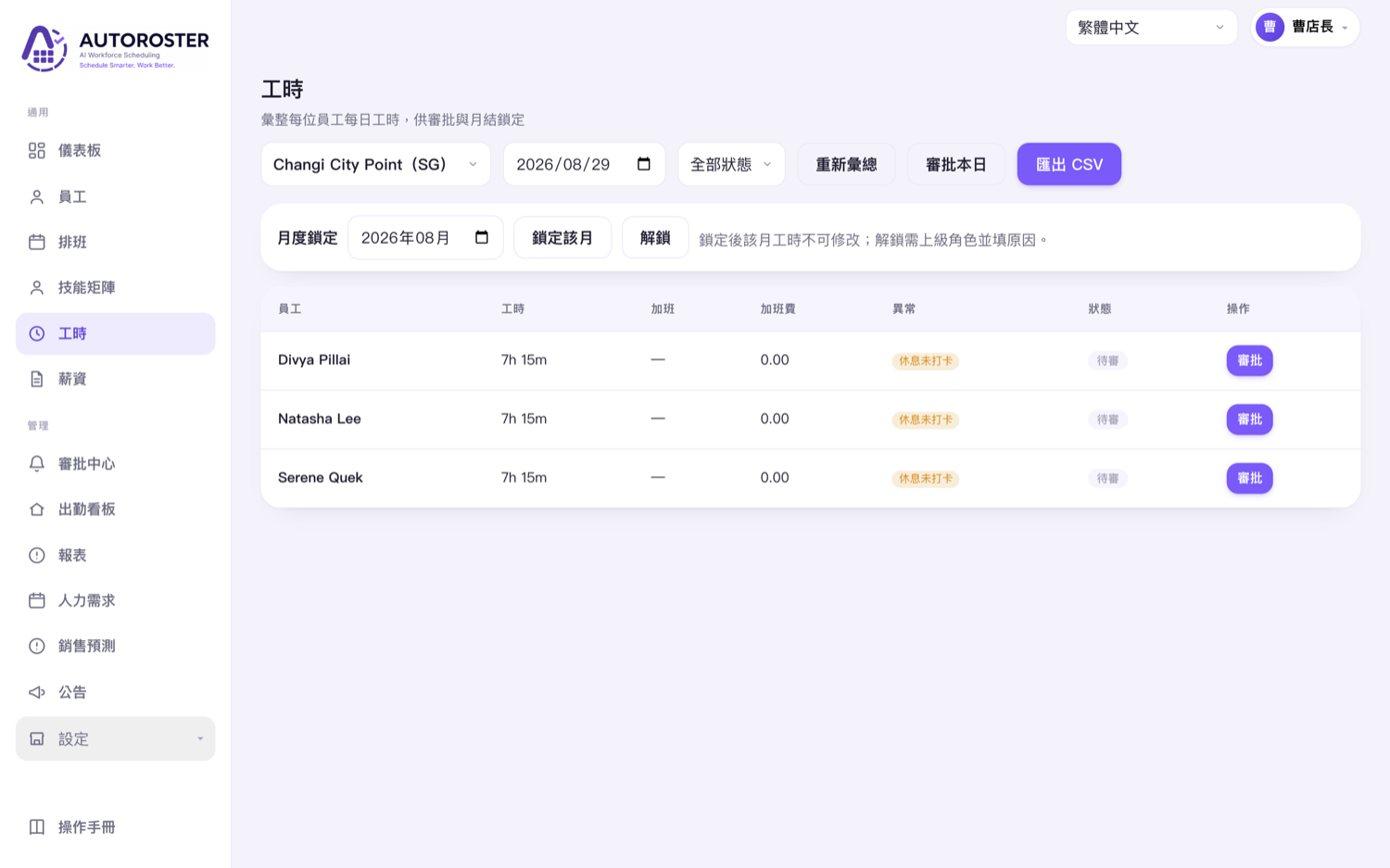
The real saving with mobile cloud clock-in is downstream: punch data syncs to the cloud in real time, is calculated into hours automatically, and flags late arrivals, early leaves and overtime — so there's no more copying cards or reconciling by hand at month-end. For a chain, one back office shows attendance across every outlet, which a row of punch clocks can never do.
03How does mobile clock-in prevent cheating? It comes down to location
The first thing people question about mobile clock-in is: "Doesn't that just let employees clock in from home?" That worry comes from imagining it without location controls. A serious cloud clock-in system uses three location methods to confirm the person really is at the store: a GPS geofence, the store WiFi, and NFC tags, combined to fit each outlet's environment.
Add device binding (so one phone can't clock in the whole store), server-time correction (changing the phone clock does nothing), and duplicate-punch protection, and mobile clock-in matches — often beats — a traditional punch clock on anti-fraud strength, with no hardware to buy at all.
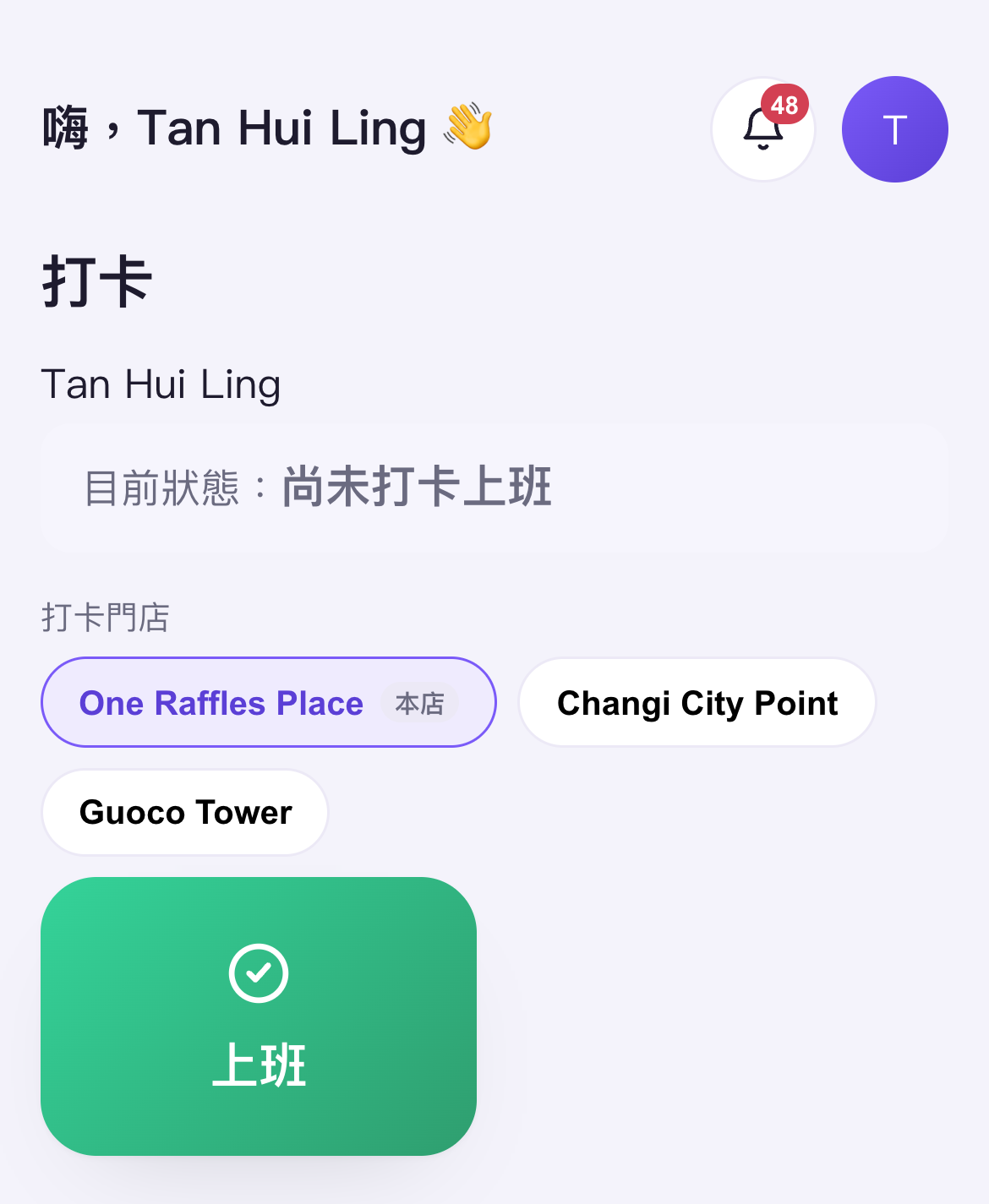
Employee side: one button to clock in
For staff, it's just opening the app and tapping "Start". The interface supports multiple languages so foreign workers can follow it too; when covering multiple stores, the app lists the outlets they can currently clock in at to switch between. A low barrier is what makes it actually catch on with the floor.
04Clocking in is only the start: the value is in auto-calculating hours
Half the value of a clock-in system is "preventing fraud at the moment of the punch"; the other half is "saving work afterwards". A traditional punch clock just hands you a string of times, with hours, overtime and lateness all worked out by hand; a cloud system automatically aggregates punch records into timesheet reports, with anomalies visible at a glance.
056 things to check when buying a clock-in system
Whichever one you end up choosing, running through these six points before you order will save you a lot of grief:
- Anti-fraud mechanisms — does it have location (GPS/WiFi/NFC), device binding and time correction? This decides whether it can stop buddy punching.
- Auto-calculating hours — can it settle punches straight into hours, flag anomalies and export reports, rather than dumping a pile of times for you to calculate yourself?
- Multi-store management — can one back office manage every outlet, with cross-store coverage visible too?
- No hardware, relocatable — for a new store, a move or a pop-up event, can it go live without buying and reinstalling everything?
- Multilingual & ease of use — whether the employee side (especially foreign workers) can understand it and pick it up easily decides whether the floor actually adopts it.
- Setup cost & plan — is there a free plan to try first, is pricing predictable, and are you free from being tied down by hardware and maintenance fees?
06Which is most economical for your store type
- Single store, few staff, no buddy-punching problem — a traditional punch clock or simply the free mobile clock-in plan both work; start by getting hours recorded cleanly.
- Buddy-punching problem, need to calculate hours — mobile cloud clock-in (location + automatic hours) offers the best value, with almost no barrier to getting started.
- Multiple outlets, a chain, foreign workers — go straight for an app-based cloud plan: one back office for everything and a multilingual employee side; stop installing machines one by one.
There's no "best" clock-in system, only the one "best suited to your store type". But this much is certain: the moment you start caring about any one of these three things — buddy punching, calculating hours, multiple stores — mobile cloud clock-in will almost always be the more time- and cost-saving choice over a traditional punch clock, and with most plans offering a free version, you can start trying it today.